

Collaborative Design: The Figma Advantage for Modern Teams
Introduction: Embracing Collaborative Design with Figma
The design industry is in the midst of a profound transformation, moving away from a siloed, hand-off-based approach to a dynamic, collaborative ecosystem. At the heart of this paradigm shift is Figma, a revolutionary platform that has redefined how creative teams work. By integrating powerful design and prototyping tools with real-time collaboration, Figma empowers teams to work smarter, not harder, breaking down the traditional barriers between designers, developers, product managers, and other stakeholders. This comprehensive guide delves into the unique features and profound benefits that make Figma an indispensable tool for modern teams striving for innovation, efficiency, and design excellence.
Figma’s Unique Features Enhancing Team Collaboration
Figma’s appeal lies in its core architecture, which was built from the ground up to facilitate seamless collaboration. Unlike older desktop-based software, Figma operates entirely in the browser, eliminating the friction of installation, version control, and file transfers. This cloud-based foundation unlocks a suite of features that are specifically designed to enhance teamwork:
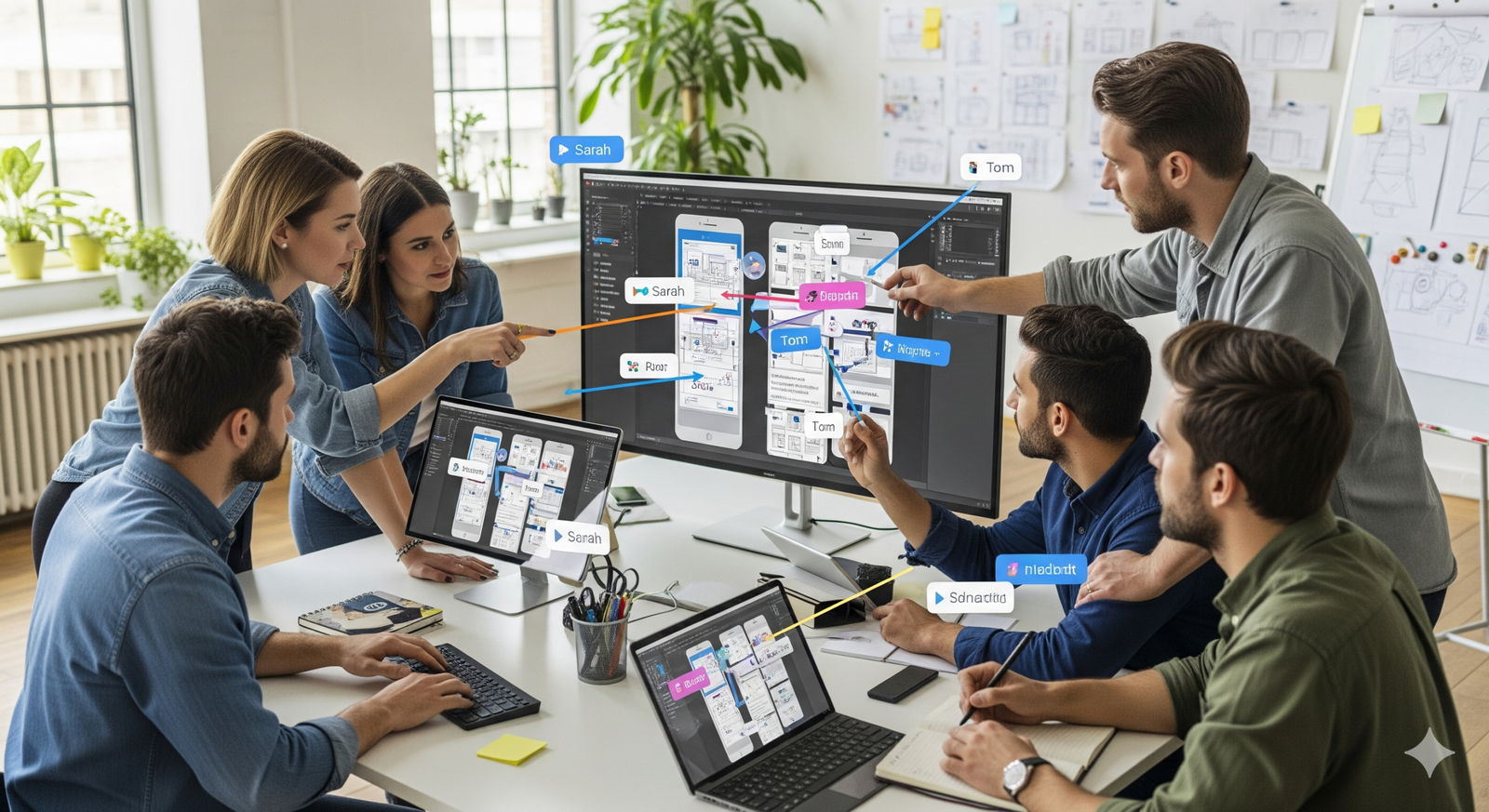
- Real-Time Collaboration: This is Figma’s signature feature. Multiple users can work on the same file simultaneously, each with their own cursor, making it feel like a shared digital whiteboard. This immediacy allows for instant feedback, co-creation sessions, and rapid problem-solving, dramatically accelerating the design process. Stakeholders can see changes as they happen, eliminating the need for back-and-forth email chains and static PDF previews.
- Cloud-Based Convenience: With every design file stored securely in the cloud, accessibility is never an issue. Team members can access projects from any device with an internet connection, from any location, at any time. This is a game-changer for remote and hybrid teams, ensuring everyone is working from the single source of truth. It also serves as an automatic backup, protecting against data loss.
- Version History: Figma’s robust versioning system automatically saves changes, allowing teams to effortlessly review, restore, and revert to previous stages of a project. This feature provides a safety net for experimentation and a clear audit trail of design decisions. Designers can create named versions at key milestones, making it easy to reference a specific stage in the design’s evolution.
- Component Libraries: Figma’s component system allows teams to create and maintain a shared library of reusable design elements, such as buttons, forms, and icons. This ensures visual consistency across all projects and saves countless hours by preventing designers from reinventing the wheel. Any change to a master component instantly updates all instances, making large-scale design system management a breeze.
Why Figma Stands Out in the Design Ecosystem
Figma’s rise to prominence is not just about its features; it’s about its inclusive philosophy. The platform is designed to be accessible and useful for everyone involved in the product development cycle, not just dedicated designers. This cross-functional appeal is a key differentiator:
- Intuitive and Accessible: Figma’s clean, intuitive interface makes it easy for non-designers—from product managers to marketing specialists—to view, comment on, and even edit designs without a steep learning curve. This reduces bottlenecks associated with traditional handovers and allows for more frequent and meaningful stakeholder involvement.
- Developer Handoff Made Easy: The built-in Inspect panel automatically translates design elements into CSS, iOS, and Android code snippets. This bridges the communication gap between design and engineering, allowing developers to precisely implement the design without guesswork. Engineers can pull assets, review measurements, and access code with a single click, streamlining the development process.
- Prototyping Without Leaving the App: Figma’s integrated prototyping tools allow designers to create interactive, clickable prototypes directly within the design file. This enables teams to test user flows, gather early feedback, and validate concepts before a single line of code is written. The ability to share a simple link to a working prototype with a client or user is incredibly powerful for validating assumptions.
Benefits of Using Figma in Team Design Projects
Adopting Figma is more than just switching tools; it’s an investment in a smarter, more efficient workflow. The tangible benefits are seen in every stage of a project:
- Accelerated Productivity and Speed: By eliminating the need for file syncing, managing multiple versions, and waiting for feedback, teams can move at a much faster pace. Brainstorming sessions can turn into real-time design sprints, and a day’s worth of email can be replaced with a 30-minute collaborative session.
- Enhanced Communication and Alignment: The shared canvas ensures everyone on the team is looking at the exact same thing. Comments are tied to specific elements on the artboard, providing clear, contextual feedback that is easy to action. This single source of truth fosters trust and ensures that everyone is aligned on the vision and progress of the project.
- Streamlined Feedback Loops: Figma’s commenting system is a game-changer. Stakeholders can leave specific comments on a design element, and designers can resolve them as they are addressed. This creates a clean, searchable history of feedback and decisions, making it easy to track changes and justify design choices.
- Improved Design Consistency: By centralizing a design system in a shared component library, Figma helps teams maintain a consistent brand identity across all digital products. This not only creates a more cohesive user experience but also makes the entire design process more scalable and efficient.
- Flexible and Accessible Workflow: Because Figma is a web-based application, it works seamlessly across different operating systems, allowing teams to use a mix of Windows, macOS, and Linux. This flexibility is particularly valuable for companies with diverse hardware environments or for designers who prefer to work on different machines.
Increasing Productivity with Figma
By offloading the logistical burdens of file management and version control, Figma frees up creative teams to focus on what they do best: innovating and creating. This focus enhances productivity and the overall quality of the design outputs, aligning well with the goal of achieving design excellence.
Conclusion: The Future of Collaborative Design
In an era where efficiency, innovation, and seamless communication are paramount, Figma is leading the charge by enabling teams to collaborate smarter, not harder. As the platform continues to evolve, adding features like Dev Mode and new AI integrations, it promises to redefine how design projects are approached and executed. Its comprehensive feature set, inclusive design philosophy, and commitment to real-time collaboration make it more than just a tool—it’s a new way of working.
To gain more insights, explore a library of templates, and discover tools on how to improve team collaboration, visit PixelPlot.ai – your go-to resource for tech-driven solutions in design. By embracing platforms like Figma and the methodologies they enable, businesses can ensure their creative teams are not just keeping pace with the industry, but are actively shaping its future.