
How to Scale Mobile Game UA: The Complete Guide to Game Studio Ad Creative Platforms

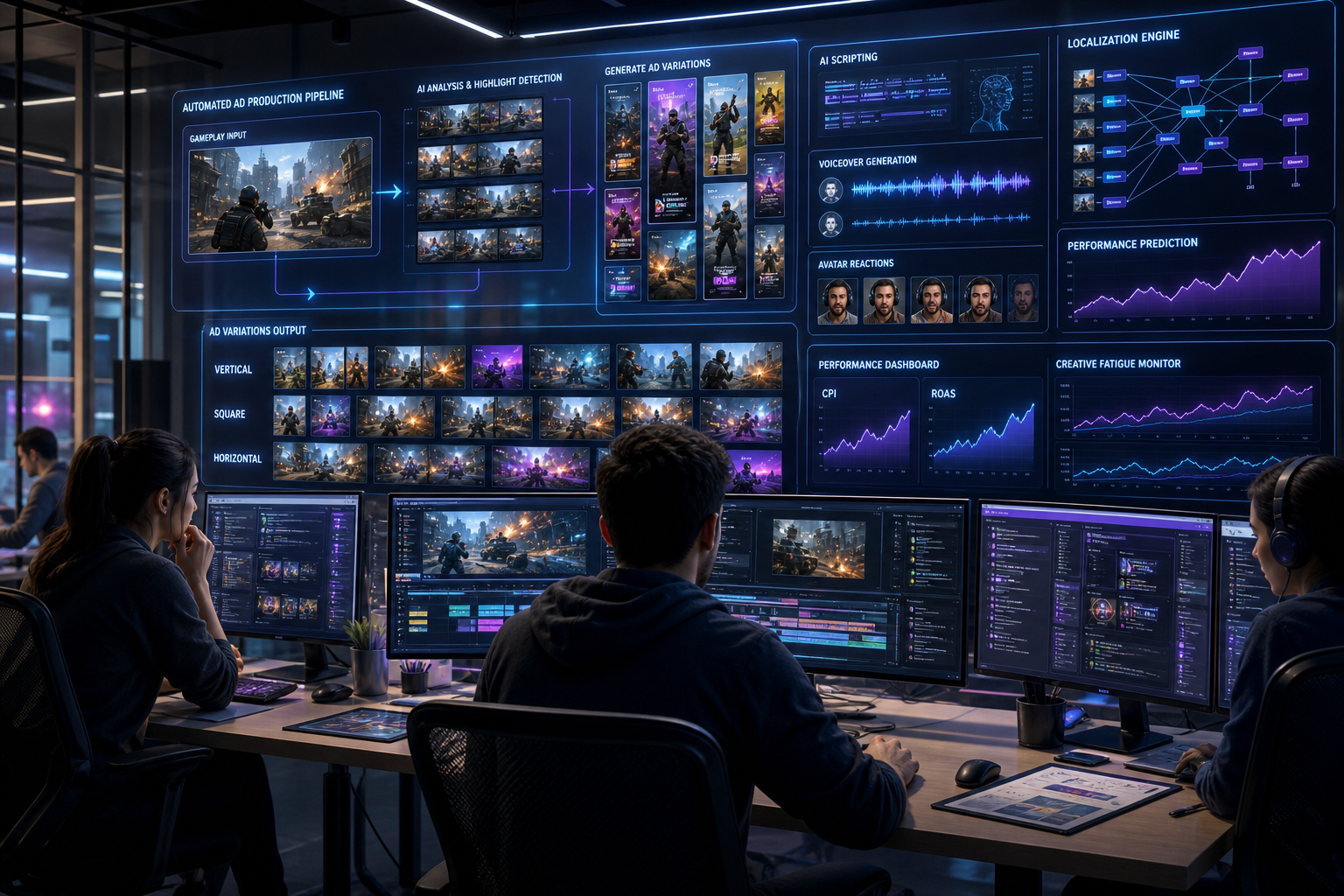
In modern mobile and PC game marketing, User Acquisition (UA) isn’t won by tweaking bids or adjusting age brackets. Machine learning algorithms on Meta, TikTok, Google Performance Max, and AppLovin handle audience targeting automatically. Today, creative is the targeting.
For performance marketers, UA leads, and indie studio founders, this creates a major operational wall: creative fatigue. A winning video ad that drives low Cost Per Install (CPI) and high Return on Ad Spend (ROAS) today burns out within 48 to 72 hours. To keep scaling, you don’t just need good ads—you need a continuous supply of fresh, high-converting video variations.
That is why a dedicated game studio ad creative platform has become essential infrastructure.
Here is why traditional game ad production fails, how AI-driven video generation solves the volume-velocity problem, and how your studio can scale performance creatives without bloating headcount.
1. The UA Dilemma: The Creative Fatigue Wall
Mobile game UA has become a high-speed game of iteration. Whether you are publishing hyper-casual titles, mid-core RPGs, or puzzle games, ad networks reward creatives that deliver high IPM (Installs Per Mille) and strong scroll-stopping engagement.
When you launch a creative, algorithms test it against micro-audiences. If users engage, you get lower eCPMs and priority in the auction. But as the ad saturates its audience, performance drops:
[Ad Launch] ──> [High CTR / Low CPI] ──> [Audience Saturation] ──> [CTR Decay / Rising CPI] ──> [Creative Fatigue]
To fight this decay, a studio running campaigns across 3 to 5 ad networks needs 30 to 100 fresh ad variations every single week.
Why Traditional Pipelines Break
Historically, game studios relied on two models:
- In-House Motion Designers: Designers capture gameplay, edit clips in After Effects, add FX, key out UI, and manually export aspect ratios. A skilled designer realistically outputs 3 to 8 high-quality variations per week.
- Creative Agencies: Agencies offer scale, but come with long turnaround times (2–3 weeks) and high monthly retainers ($5,000 to $20,000+), making quick iteration impossible.
When performance depends on manual editing, video production speed becomes the ceiling on your growth.
2. What is a Game Studio Ad Creative Platform?
A game studio ad creative platform is software built to automate the generation, transformation, and iteration of gameplay assets and product links into performance-focused video ads at scale.
Instead of building every creative brief from scratch, platforms leveraging AI video ads for games like PixelPlot modularize video production.
┌─────────────────────────┐
│   Raw Game Assets /     │
│  App Store / Store URLs │
└────────────┬────────────┘
             │
             ▼
┌─────────────────────────┐
│   PixelPlot Engine      │
│ ‣ AI Scripting & Hooks  │
│ ‣ Gameplay Video Splicing│
│ ‣ Voiceovers & AI UGC   │
│ ‣ Multi-Format Render   │
└────────────┬────────────┘
             │
             ▼
┌─────────────────────────┐
│  50+ Ad Variations      │
│  (9:16, 1:1, 16:9, etc.)│
└────────────┬────────────┘
By decoupling output volume from manual design hours, UA teams can test dozens of creative angles simultaneously, find winning hooks, and scale spend.
3. The 5 Pillars of a High-Performing Game Creative Platform
To beat creative fatigue, a game creative platform needs five core capabilities:
Pillar 1: URL-to-Video & Asset Extraction
The fastest way to generate ads is leveraging existing assets. A performance platform ingests an App Store or Google Play URL, Steam listing, or raw folder, pulling visual assets, text descriptions, and key elements automatically.
It then maps those assets into structured frameworks—like level progression showcases, failure state teasers (“Why is level 5 so hard?”), or feature highlight reels.
Pillar 2: High-Velocity Variant Generation (Hook Testing)
The first 3 seconds of a video ad drive up to 80% of its performance. If users scroll past the hook, the rest of the video never gets seen.
A specialized platform lets you modularize ad components. Take a single core gameplay clip and pair it with 10 visual hooks, 5 audio tracks, 4 text overlay styles, and 3 Call-to-Action (CTA) end cards. The system renders the entire 60-variation batch in minutes.
Pillar 3: AI Avatars, UGC, & Voiceover Localization
UGC-style ads—where a creator talks directly to the camera while reacting to gameplay—consistently out-perform standard clips on TikTok, Instagram Reels, and YouTube Shorts.
Hiring creators for every test campaign is slow and expensive. Modern creative platforms build in AI talking avatars and AI voiceovers with natural lip-syncing, allowing studios to:
- Generate realistic creator reaction ads without shooting footage.
- Instantly localize ad scripts into 40+ languages (English, Japanese, German, Portuguese, Korean) for global scaling.
Pillar 4: Automated Format Multiplication
Scaling campaigns across Meta, TikTok, YouTube, AppLovin, and Google PMax requires distinct aspect ratios and safe zones:
- Vertical (9:16): TikTok, Instagram Reels, YouTube Shorts, Mobile Interstitials.
- Square (1:1): Facebook & Instagram Feed.
- Horizontal (16:9): YouTube In-Stream, Desktop placements.
An automated platform crops, re-frames, and adjusts text overlays across all aspect ratios at once, removing manual re-formatting work.
Pillar 5: Iteration Loops Based on Data
When performance data signals a winning concept (e.g., “Fail State Hook + ASMR Audio”), growth teams can generate “second-generation” spin-offs within hours to extend campaign longevity.
4. Step-by-Step Execution: Scaling UA Workflows with PixelPlot
Here is how a performance team uses PixelPlot to structure weekly creative sprints:
+-------------------------------------------------------------------------------+
|                        WEEKLY CREATIVE SPRINT PIPELINE                        |
|                                                                               |
|  [Step 1: Input]       [Step 2: AI Scripting]    [Step 3: Auto-Assembly]        |
|  Paste Store URL /  ─> Auto-Generate 5    ─> Pair Gameplay Footage            |
|  Upload Gameplay       Core Angle Hooks        with Voice & Text              |
|                                                               │               |
|  [Step 5: Scaling]     [Step 4: Batch Render]                 │               |
|  Push Winning Angles ◄─ Export 50+ Variations ────────────────┘               |
|  to Campaign Channels   Across 9:16, 1:1, 16:9                                 |
+-------------------------------------------------------------------------------+
- Input Game Assets: Paste your app store link or upload gameplay clips. Set your target player persona and core value props.
- AI Scripting: Select from high-converting gaming frameworks (e.g., “Fail State”, “Progression Arc”, “AI UGC Reaction”, or “ASMR Satisfying”).
- Automated Assembly: The engine syncs scripts, captions, voiceovers, and footage into full ad creatives.
- Batch Render & Export: Export variations across 9:16, 1:1, and 16:9 with native network specs.
- Test and Multiply: Deploy the batch. When a hook wins, import it back to generate 15 target variations and scale ad spend.
5. Cost & Production Comparison
Here is how an automated ad creative platform compares to traditional setups when producing 50 ad variations per month:
| Metric / Dimension | In-House Motion Designer | Creative Agency | PixelPlot AI Platform |
| Monthly Cost | $6,000 – $10,000 (Salary) | $8,000 – $20,000+ (Retainer) | Software Subscription |
| Turnaround Time | 3 – 5 days per concept | 2 – 3 weeks per batch | Minutes / Hours |
| Monthly Creative Output | ~15 – 25 variations | ~20 – 40 variations | 100+ variations |
| Localization Capability | Manual (External voice actors) | High per-language fees | Built-in (40+ languages) |
| AI UGC Integration | Requires hired actors | High production fees | Built-in AI Avatars |
| Bottleneck | Designer capacity | Contract limits | None |
6. Best Practices for Mobile Game Ad Creatives
- Focus on the First 3 Seconds: Test dramatic visual changes up front—high-contrast colors, surprising failure outcomes, or direct captions (“Stop scrolling if you love strategy games”).
- Balance Hooks with Real Gameplay: High-performing hooks grab attention, but the ad must transition into real gameplay to preserve downstream ROAS and retention.
- Keep Formats Native: Match platform aesthetics. Use UGC formats, native captions, and clean overlays rather than over-produced TV-style ads.
- Localize Beyond Tier-1 Markets: Lower CPIs often exist in Tier-2 and Tier-3 regions. Learn how to scale game ad creative production to unlock international markets without adding production complexity.
Scaling Game UA with PixelPlot
In performance marketing, the team that tests the most creative variations wins the auction. Relying on manual editing creates an artificial cap on your game’s trajectory.
With a dedicated game studio ad creative platform like PixelPlot, growth teams gain the output speed needed to beat creative fatigue, lower CPIs, and scale ROAS across channels.
Ready to upgrade your UA pipeline? See how PixelPlot turns game links and raw footage into high-converting video ads in minutes.